
Earth Rotation Compensation on the X2D II: The 4-Hour Location Window
A reader question about the X2D II's stabilization sent me back through Hasselblad's documentation this week. What I discovered down
Same X2D II RAW through both Hasselblad apps: Phocus Mobile matches the Standard preset. Mac imports sit 10% away until you apply it yourself.
Read the post →
The Phocus manual Hasselblad has not written: 85 topics, kept current with every release, updates included.
Read the guide →Everything here stays free to read. Members fund the research and get the culling app, the guide, priority answers, and the measurement data behind the test posts.
See membership →
A reader question about the X2D II's stabilization sent me back through Hasselblad's documentation this week. What I discovered down
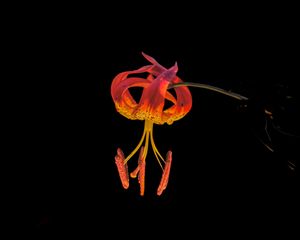
Yesterday I wrote about Phocus quietly fixing a bug it never told anyone about. Hasselblad does the same thing with camera firmware, and twice
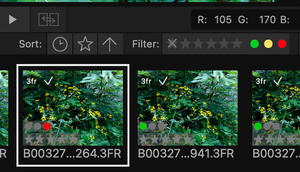
In December 2025, I filed a bug report with Hasselblad: color labels set on a .3FR RAW file in Phocus didn't survive
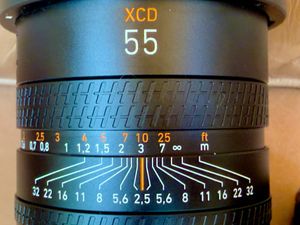
Every X2D II 3FR since firmware 1.2.7.11 records recoverable focus distance. Since firmware 1.3.16.1, Capture One and Lightroom read it and use it.
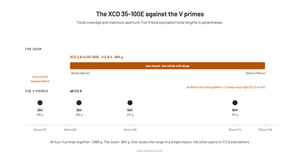
A variant of this question lands on almost every Hasselblad forum almost every week in some form. "Help me bridge the gap: 35-
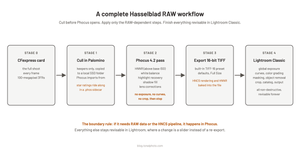
Every week the same question surfaces on r/hasselblad, in the Facebook groups, or in my inbox: what does a sensible Hasselblad workflow actually
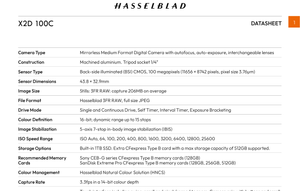
Search for the X2D 100C's RAW bit depth or its continuous shooting buffer and Google mostly hands you an article about a
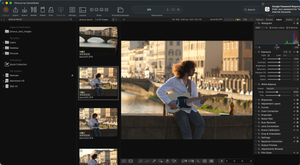
HNCS isn't baked into your files at capture. Here's how Hasselblad's render-time color pipeline in Phocus actually works, mechanism by mechanism.
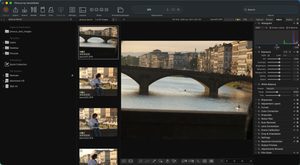
If you just bought a Hasselblad X System camera, or you're deciding whether to, "Phocus" is the word you might

The same Hasselblad RAW, measured in Phocus, Capture One, and Lightroom: tone, color, and lens handling differ more than you'd guess.
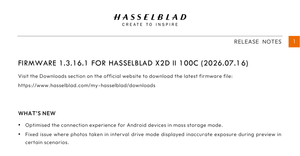
Hasselblad published firmware 1.3.16.1 for the X2D II 100C today, the same day Phocus Mobile for Android V1.0.0 landed.
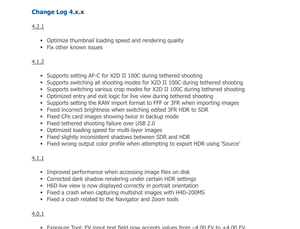
Hasselblad released Phocus 4.2.1 for Mac on July 15th. As I write this, their own Phocus product page still lists 4.2
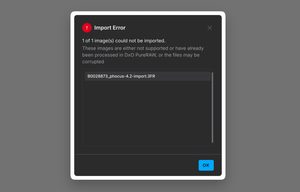
Phocus 4.2 import rewrites the EXIF Model tag in 3FR files. DxO PureRaw rejects them, checksums break, and Hasselblad calls it by design.
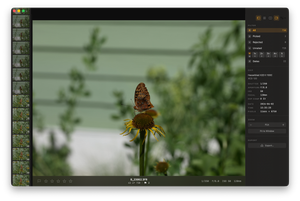
How I sort a 1,500-frame Hasselblad card in 10 to 15 minutes with Palomino, then hand clean keepers (and ratings) to Phocus.