
Yesterday I discovered that Phocus for Mac by default never applies the Adjustment preset you pick (or don't pick) at import: every image lands at a flat baseline the toolbar calls "3FR", and only a manual preset switch afterward changes the render and the output pixels. That immediately begged the question: which rendering then is the real HNCS that all their marketing material promises us owners? The baseline one Phocus gives you, or the Standard preset it chooses not to apply at import time, despite the Import dialog suggesting it does?
Update (9 August 2026)
One absolute in the paragraph above needed correcting. Unticking "Use embedded if available" in the Import dialog does make the chosen preset apply at import, byte-identical to applying it manually afterward (verified on 4.2.1 with fresh camera files). With the box ticked, every import still lands in the flat non-HNCS state this post measures, and the box is not just ticked by default: it re-ticks itself every time Phocus relaunches. So the default-workflow finding and the Phocus Mobile comparison stand unchanged. Oddly, the featureless test frame used for the original measurements refuses the preset even with the box unticked, which is how the wrong "never" got into print. Later testing widened that: frames with essentially no image content (flat walls, test charts) imported at wider apertures still come in flat even with the box unticked, so unticking is necessary but not sufficient. The fix section below is corrected.
Update (11 August 2026): The mechanism is now isolated, and it changes this post's framing. The Standard preset's entire pixel effect, verified byte-identical on three different test frames, is the Lens Corrections Vignetting slider moving to 100. The color rendering of the "3FR" state and the Standard preset is the same pipeline; what the default import flow withholds is the falloff correction, not Hasselblad's color science. Credit to areaarray and Famous_Taro_5673 on r/hasselblad, whose color-checker and color-picker tests pointed at exactly this. A full methodology page with every measurement and the raw 3FR files follows shortly; the HNCS wording below is preserved with corrections inline.
This morning I found a way to get a potential answer to that question without waiting for Hasselblad: just ask their other product.
Key finding: Phocus for Mac's default import flow gives you an image, on screen and in every export, without the selected preset applied: about 10% RMSE from Standard until applied manually, in every version through 4.2.1. That difference has since been isolated as the vignetting correction, not color. Phocus Mobile 2's output matches that Standard render (0.21% RMSE), so mobile users get the corrected render by default.
The experiment: one RAW, two Hasselblad apps
Phocus Mobile 2 turns out to be a control group Phocus for Mac can't be. There is no Adjustment dropdown on the iPad, no preset picker, no import dialog choices about color. You import from the camera, you export, and whatever rendering comes out is what Hasselblad's code produces. If HNCS means anything as an end-to-end promise, logic would suggest that it would likely be that render.
So I put the test frame from yesterday's measurements on a CFexpress card, put the card in the X2D II, imported it into Phocus Mobile 2 on the iPad, and exported a 16-bit TIFF. Same frame, same 11656 x 8742 geometry, same Adobe RGB profile as the desktop exports. Then I diffed it against the three renders Phocus for Mac produces for that identical 3FR.
Which Phocus for Mac render does the iPad match?
| Phocus Mobile 2 TIFF compared against | RMSE (normalized) |
|---|---|
| Phocus Mac, Standard applied manually | 0.21% |
| Phocus Mac, Nature applied manually | 1.2% |
| Phocus Mac, as imported ("3FR" baseline) | 10.2% |
The iPad render sits essentially on top of the Mac's Standard preset, six times closer than to Nature and fifty times closer than to the baseline the Mac actually gives you at import. Mean image brightness tells the same story: the Mobile export and the Mac's Standard render agree within half a percent, while the as-imported baseline is almost a quarter darker.
The 0.21% residual deserves a caveat. That is not byte-identical, and it is well above the 0.006% I measure between different desktop versions rendering the same state, so the mobile pipeline is not literally the desktop pipeline. The experiment asked a narrower question: which of the desktop's two candidate states does Hasselblad's untouched rendering correspond to? And agreement between two apps only proves that they agree: if Hasselblad is not comparing rendered outputs either, then whether Phocus Mobile 2 itself carries true HNCS is an assumption, not a fact.
Standard, by a factor of fifty.
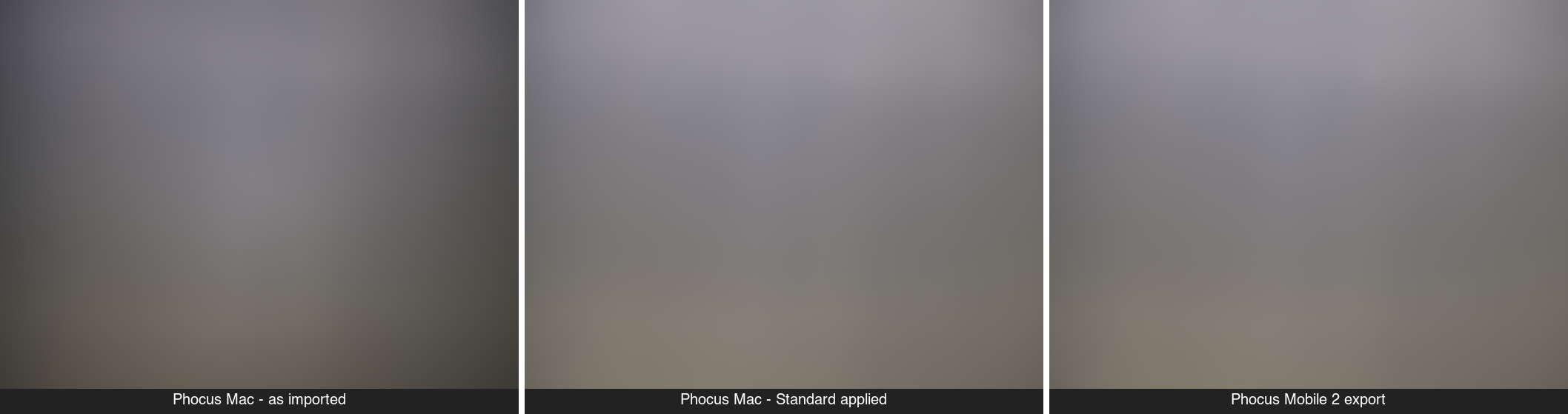
The same 3FR three ways. The as-imported Mac render (left) is visibly darker; the Mac's manual Standard (center) and the iPad's only render (right) agree. A deliberately featureless test frame: the uniform surface is what makes the pixel math clean.
See it on a color checker
Numbers on a gray frame are the rigorous version. Here is the visible one: a SpyderCHECKR shot through the same pipeline on Phocus 4.2.1, exported once in the as-imported state and once with Standard applied. Nothing else touched. Drag the divider.
As imported ("3FR") vs Standard applied — drag the divider
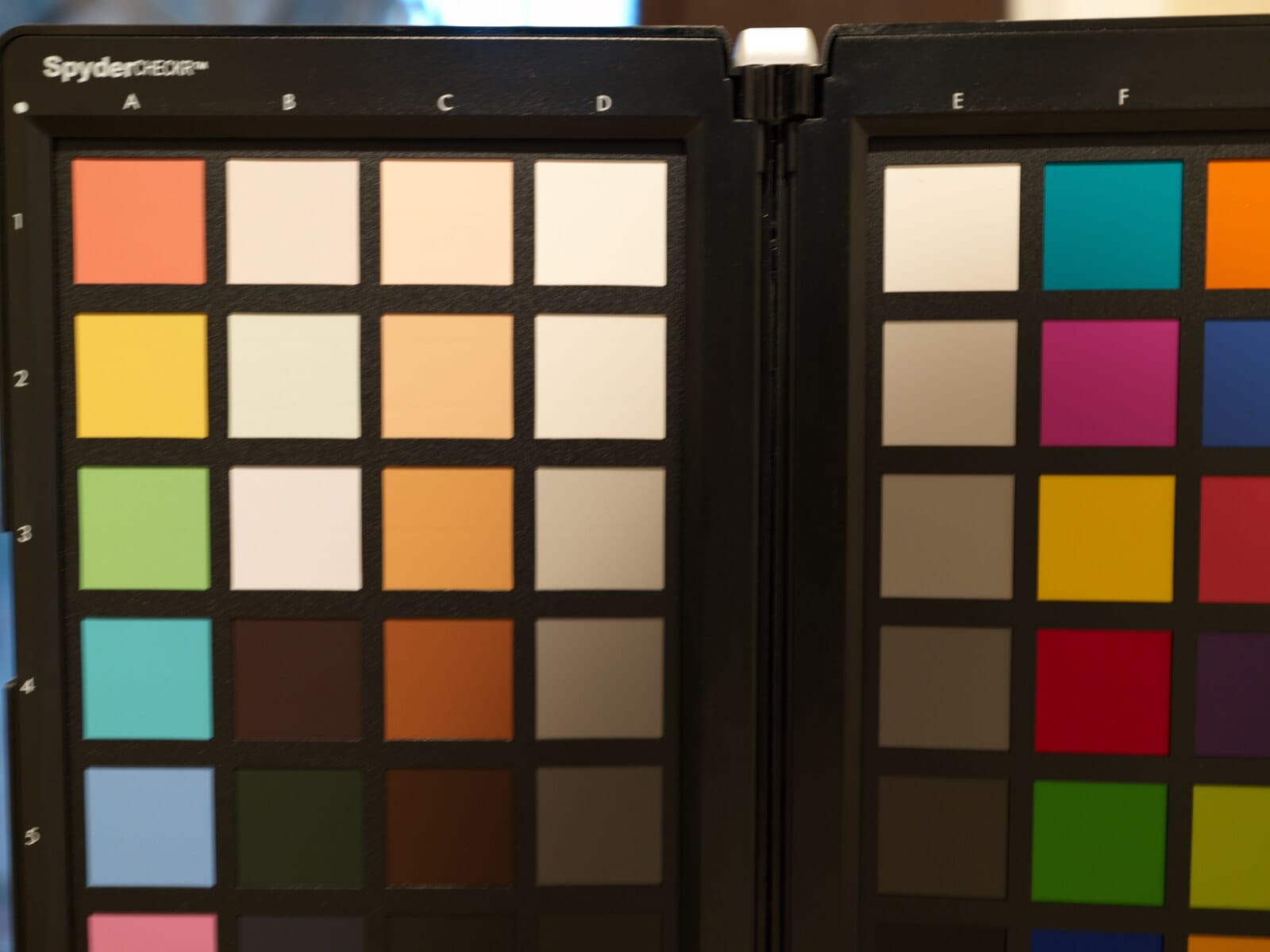
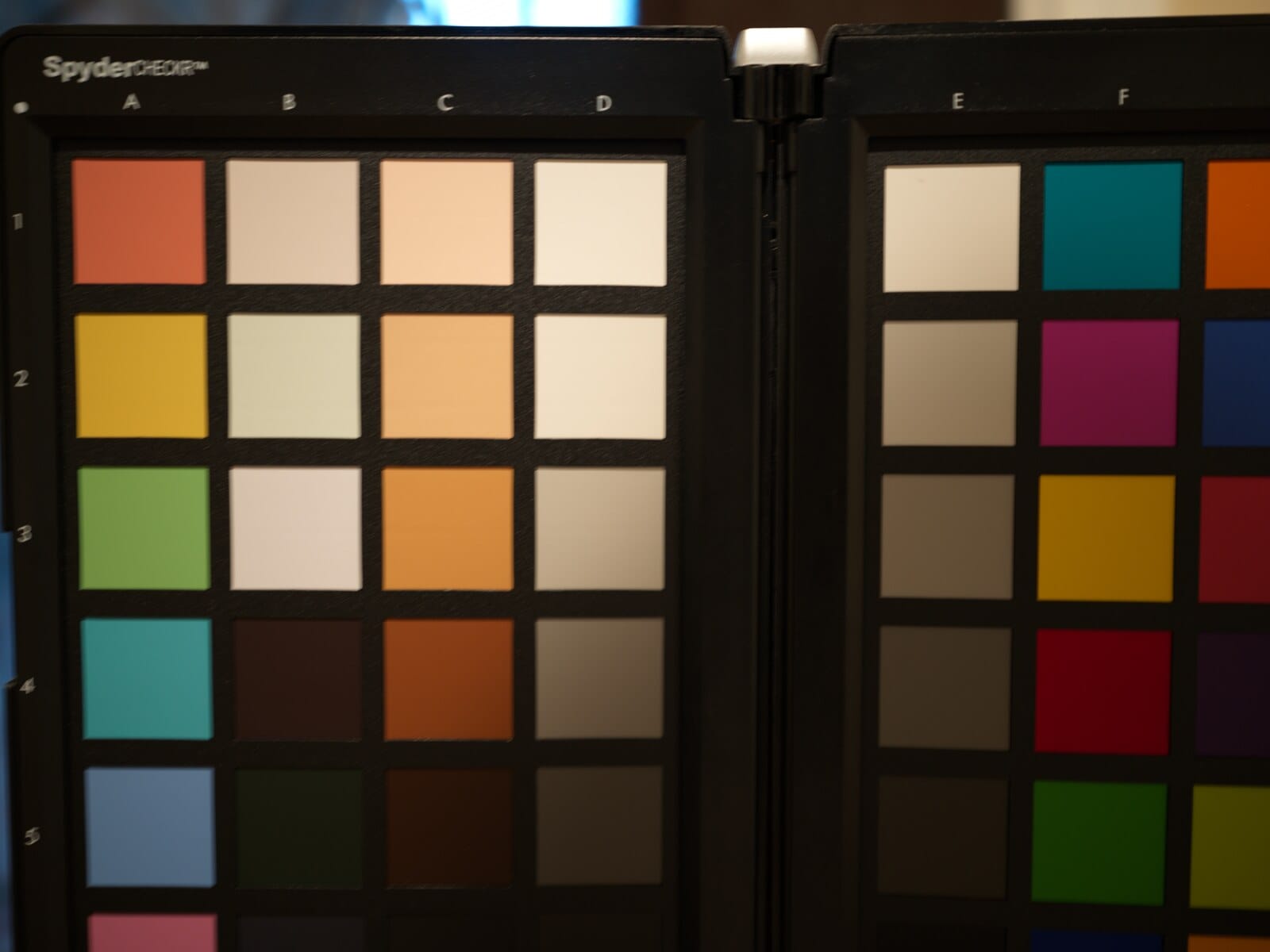
Same 3FR, same export settings, Phocus 4.2.1. Left of the line: the render every import starts in. Right: the Standard preset (the render Phocus Mobile produces). 8.8% RMSE between the two.
The gap on the checker frame measures 8.8% RMSE, the same class of difference as the gray-frame measurements above. The as-imported render is flatter and darker across every patch; Standard lifts it, most strongly away from the frame center, which is the vignetting correction doing its work. That difference is what your exports have been missing if you never touched the preset dropdown.
Have you seen the guide? I've published Essential Phocus 4.x for Mac - 85 topics across 8 sections and 250 pages covering everything from HNCS color science to HDR workflows. It's the reference manual Hasselblad hasn't updated since 3.8. It's $49, and updates are included.
What does this mean for your Phocus workflow?
Every image you import into Phocus for Mac starts life without the preset's vignetting correction (the color rendering itself, we now know, is identical), and stays there until you act. What you see is what you export: an export made without applying the preset carries that same under-corrected render out of the app. This appears to have been true in every version I tested: 4.1.2, 4.2.0, and 4.2.1 render the as-imported baseline and the Standard preset the same way to within measurement noise, and with the default import settings the Adjustment selection never reaches the render in any of them.
The first fix is in the Import dialog itself: untick "Use embedded if available" and pick your preset. On normal photographs the import then arrives with that preset genuinely applied (verified byte-identical to a manual application). Two caveats: the box re-ticks itself every time you relaunch Phocus, so check it on every import session, and unticking does not guarantee application on every file (featureless frames such as flat-fields and test charts, shot at wider apertures, still import flat). When in doubt, apply the preset manually after import; that always works. For images already imported the flat way, it takes two clicks, and the order matters:
- Apply your preset first, before touching any slider. Select the image, open the Adjustments dropdown at the top of the window, and choose Standard (or Nature, Portrait, Product). For a batch, use Modify instead. Changing the preset later wipes every saved adjustment on the image; Phocus treats a preset change as a full reset, by design.
- Don't trust the labels. The toolbar reading "3FR", or the sidecar recording a preset name, says nothing about what was rendered. A preset is real only when you applied it yourself: after import from the dropdown, or at import with "Use embedded if available" unticked.
If you have been importing, editing, and exporting without ever touching the Adjustments dropdown, your exports have never carried the preset's full vignetting correction, though they did carry the color science you bought the camera for. The good news: your RAWs are untouched, and the preset is two clicks away on any image you care to revisit.
An open question for Hasselblad, now with a yardstick
I have put the question to Hasselblad directly: which rendering does Hasselblad consider the true HNCS baseline, and why is the "3FR" state not selectable in the Import dialog if it is a legitimate rendering state? When an answer comes, this post gets updated, and the measurement above is the yardstick their answer has to square with.
Update (19 August 2026): Hasselblad has answered. Their engineering team's position, quoted in full: "Both Phocus and Phocus Mobile apply HNCS when processing RAW images. HNCS takes effect during the intermediate stages of image processing and is strongly linked to white balance parameters. Since different presets utilize different white balance parameters, this is the primary factor influencing the visual outcome of HNCS. Other post-processing adjustments, such as vignetting or tone curves, do not affect the HNCS processing currently applied to the photo." In other words, HNCS is a processing stage, not a particular output, and every render measured above contains it. That is consistent with the 11 August isolation: the as-imported state and Standard share one color pipeline, and the visible gap between them is a lens correction Hasselblad itself classifies as sitting outside HNCS.
What the answer does not address is the gap: the same file still produces a render on the iPad that matches the Mac's Standard preset and not the Mac's default import, and nothing in either app tells you. On the same day, Hasselblad also confirmed on my bug case that the default import behavior is intentional. With "Use embedded if available" ticked, the file's embedded configuration takes precedence over the preset you selected, and the checkbox re-arming itself on every restart is intended too. So the practical rule below is not a stopgap awaiting a fix; it is the permanent way to get the preset you chose.
The practical rule stands: untick "Use embedded if available" and import with Standard, or apply Standard right after import, then edit.