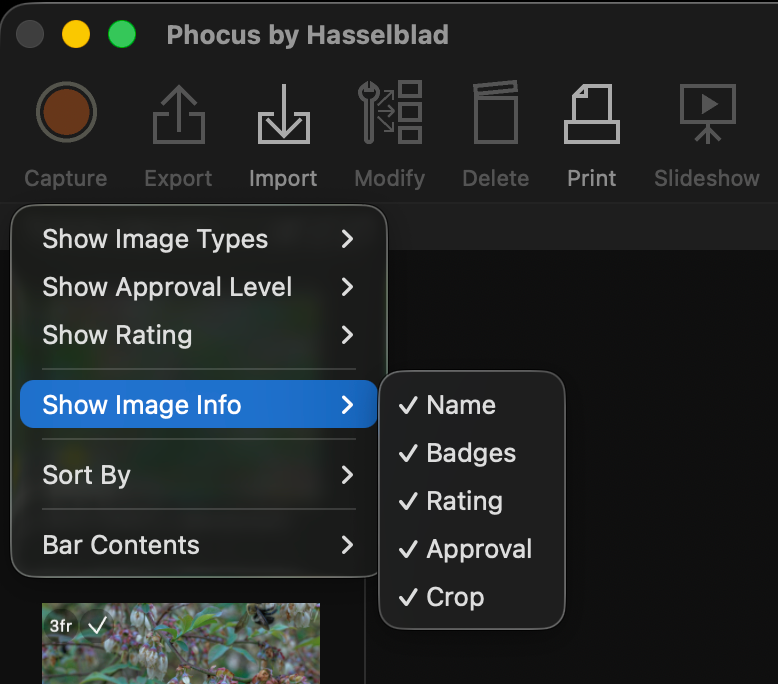
After upgrading to Phocus 4.1.2 on my Mac Mini, I noticed something was off. The star ratings on my thumbnails were gone. Not the ratings themselves (they were still stored in the .phos sidecars, and all my other adjustments from the MBP14 were syncing fine via Resilio), just the visual display. Ratings were showing fine on the MacBook Pro. Same files, same .phos sidecars, same version of Phocus. One machine showed stars, the other didn't.
I started clicking around, and found the answer in a small dropdown I'd never noticed before.
The Thumbnail Browser Has an Options Menu
There's a small dropdown icon in the thumbnail pane header bar. It follows the same UI convention as other dropdown menus in Phocus, but its size and placement make it easy to overlook. If you've never noticed it, you're probably not alone.
The icon's position shifts depending on your viewer layout. In portrait mode, it sits at the right edge of the thumbnail pane header. In landscape mode, it moves to the right side, near the thumbnail size controls.
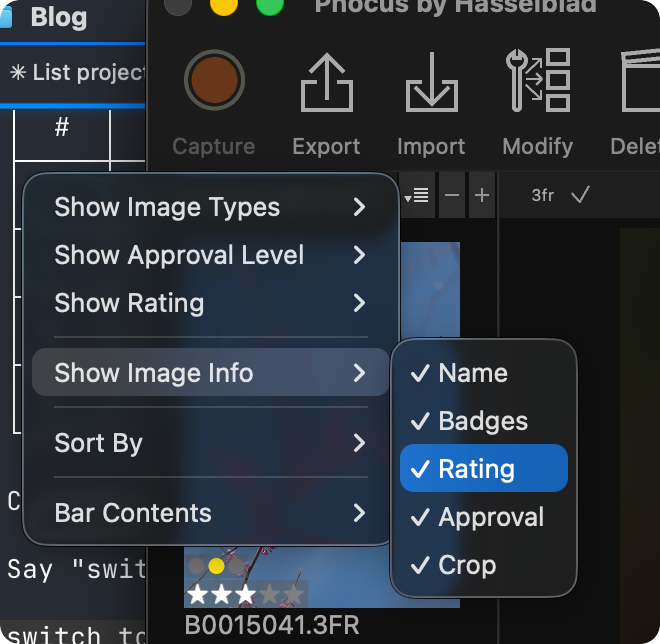
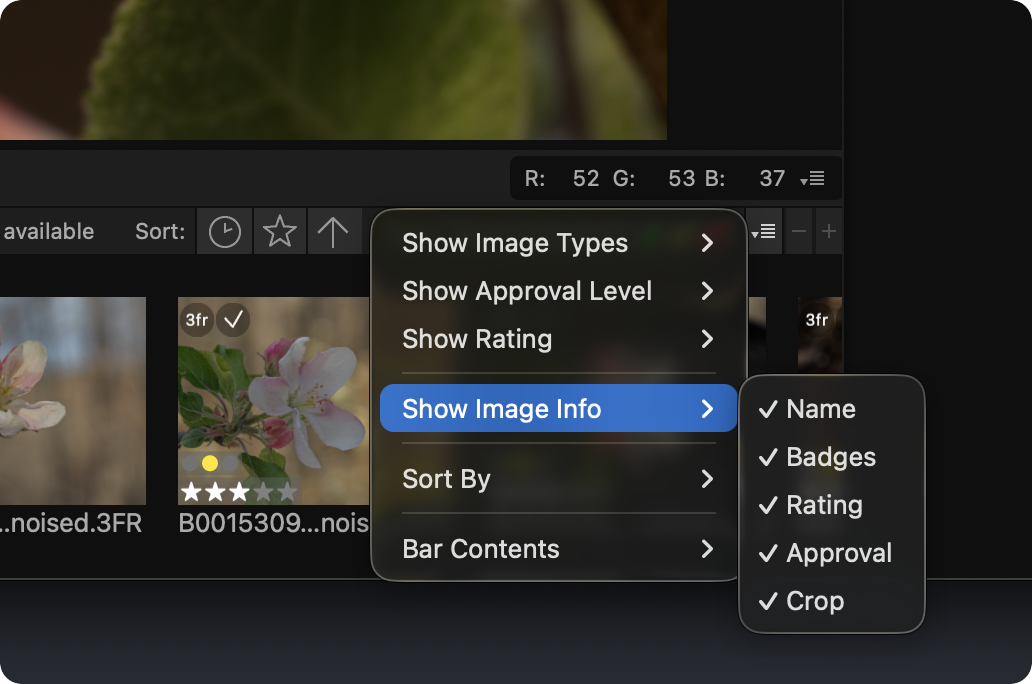
Click it, and you'll find six submenus that control filtering, sorting, display, and toolbar options for the thumbnail browser. This is where my missing ratings were hiding.
Researching and writing the blog and page posts I produce takes up a lot of my time and costs me money for software subscriptions, tooling, and other incidentals related to running a business.
Please consider a paid membership to help me keep the lights on and pay the bills - it is only a fraction of the cost of an X2D II and a lens. Click on the button to go to the membership page to see the options available.
What does the Phocus thumbnail options menu control?
The six submenus break down into three functional categories, though Phocus doesn't visually separate them that way.
Thumbnail Filters
The first three submenus are visibility filters. They don't sort or rearrange your thumbnails. They hide them.
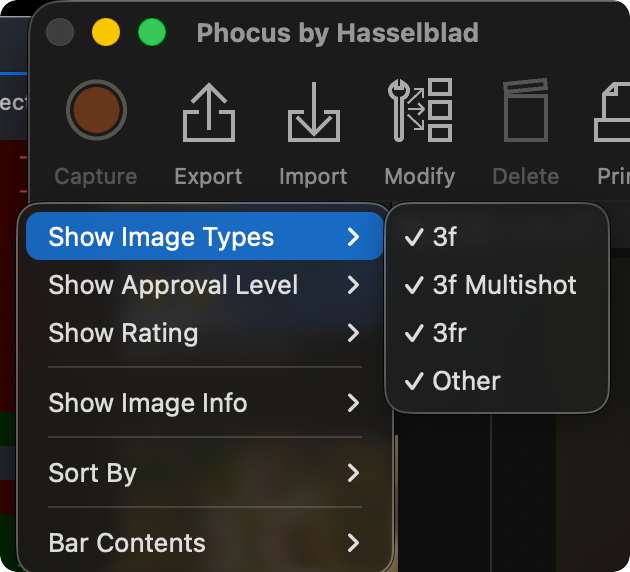
Show Image Types lets you toggle visibility by file type: 3f (FFF files from older Phocus versions or tethered capture), 3f Multishot, 3fr (standard RAW from current cameras), and Other (exported TIFFs, JPEGs, HEIFs). If you use HNNR, those denoised files are still RAW and show under 3fr, not Other.
Show Approval Level filters by the traffic light approval system (Green, Yellow, Red). Images without an approval level always show regardless of these settings. One useful trick: untick all three levels to see only unapproved images, which gives you a quick "what haven't I reviewed yet?" view.
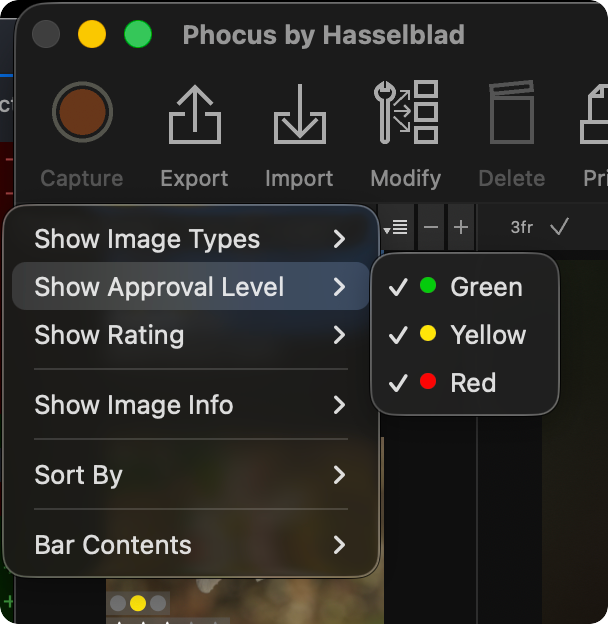
A word of caution: approval level filter selections do not persist across Phocus restarts. Quit and relaunch, and all three levels revert to ticked. This is consistent with a broader pattern of Phocus not reliably persisting certain UI state across sessions (the Adjust tab toolset customization has the same problem).
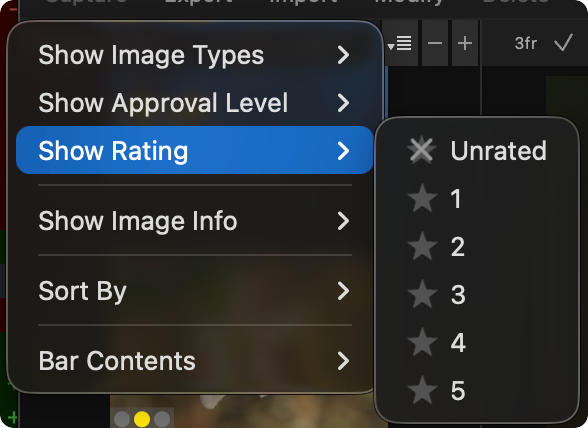
Show Rating filters by star rating, from Unrated through 5. Unticking "3" hides all 3-star images from the browser entirely. They're still in your folder. They just won't appear. This is a filter, not a sort.
Thumbnail Display Options
Show Image Info is the fourth submenu, and it's what solved my missing-ratings mystery. It controls which metadata elements appear on or below each thumbnail: Name, Badges (the file type label and approval dot), Rating (the star display), Approval, and Crop (an indicator on cropped thumbnails).
On my MBP14, all five were ticked. On the Mac Mini, Rating wasn't. The 4.1.2 upgrade had apparently reset that single preference. I ticked it, and the stars came back.
These are purely display toggles. Unticking Rating hides the star graphics from your thumbnails. It does not touch the actual rating data in your .phos files.
Sorting and Toolbar
Sort By offers three sort keys (Rating, Name, Date) plus an Ascending toggle. Date is the default. This is straightforward, though it's worth knowing that Sort By and Show Rating are completely independent. Sorting by rating changes the order. Filtering by rating changes what appears.
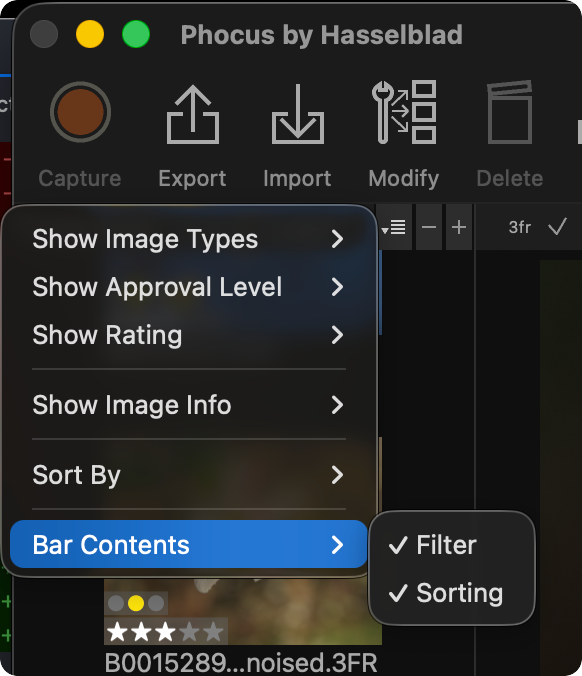
Bar Contents controls whether filter and sorting shortcut icons appear in the thumbnail pane header bar. If you're in portrait layout mode, these won't show regardless of the setting, because the bar is too narrow by default, but will appear if you manually widen the thumbnail pane.
Three Categories, One Menu
If the descriptions above felt like they were jumping between different types of functionality, that's because they are. This menu combines:
- Filters (Show Image Types, Show Approval Level, Show Rating) that hide or show thumbnails based on metadata
- Display controls (Show Image Info) that change what appears on each thumbnail without hiding anything
- Sorting and toolbar configuration (Sort By, Bar Contents) that control order and chrome
Mixing filters with display options in the same menu creates exactly the kind of confusion I ran into. When my ratings disappeared, my instinct was that something was wrong with the data or the sync. It didn't occur to me that a display toggle buried in a dropdown alongside file type filters was the cause.
Capture One separates these concerns: filtering lives in the filter toolbar, display options live in the browser settings, and sorting has its own controls. Lightroom does something similar with its Library Filter bar versus the view options. Phocus puts everything in one small dropdown and calls it a day. It works, but the discoverability is poor, and the mental model breaks when "Show Rating" means "filter thumbnails by rating" while "Show Image Info > Rating" means "display stars on thumbnails."
What to Check After a Phocus Upgrade
If thumbnails, ratings, or approval indicators disappear after upgrading Phocus (particularly on a multi-machine setup), check this menu first. The upgrade may have reset your display preferences without touching your actual image data.
The quick checklist:
- Open the thumbnail browser options menu (the small dropdown in the header bar)
- Verify all Show Image Types options are ticked
- Verify all Show Approval Level options are ticked (and remember, these reset on every restart anyway)
- Verify all Show Rating levels are ticked
- Check Show Image Info and make sure Rating, Name, and whatever else you want to see are enabled
Your .phos sidecar files contain the actual rating and adjustment data. Those sync between machines. The thumbnail display preferences are local to each Phocus installation and do not sync. If one machine looks right and another doesn't, the answer is almost certainly in this menu.
One missing-ratings case this menu cannot fix: stars applied on the back of an X2D II. Phocus never imports those, so there is nothing for the display toggles to show. Appaloosa repairs that.
Related: how a first cull hands rated keepers to Phocus.