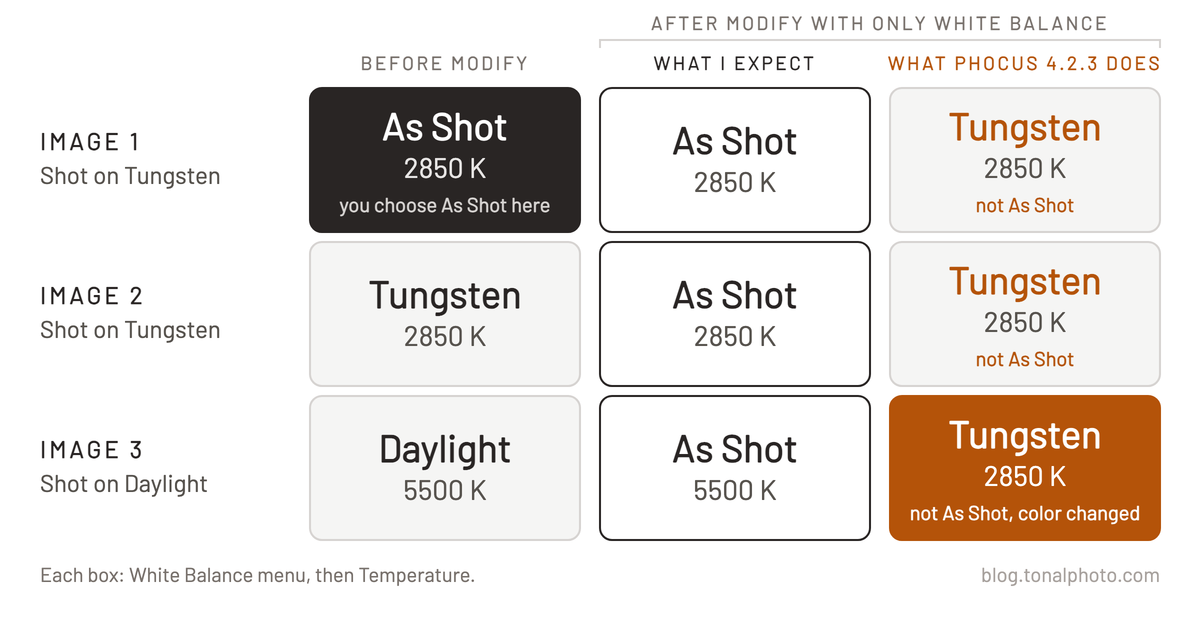
Use Modify in Phocus 4.2.3 for Mac to set a batch of images to "As Shot" white balance, and every image gets the white balance of the one you started from. Phocus copies that image's Temperature and Tint to the whole selection, so any frame shot with a different camera white balance setting changes color. In my test a frame shot on Daylight went from 5500 K to 2850 K, the Tungsten value. The fix has to be done by hand, one image at a time.
A second bug in the same menu makes this harder to catch. "As Shot" does not stay displayed: after you click another image or export, the menu shows a preset name again. So whether you see "As Shot" on a frame tells you nothing about whether Modify changed its white balance. I reported both bugs to Hasselblad on November 14, 2026.
Key finding: In Phocus 4.2.3 for Mac, choosing "As Shot" on one image and then running Modify with only White Balance copies that image's Temperature and Tint to every selected image. Frames shot with a different camera white balance setting change color. Separately, "As Shot" turns back into a preset name after you click away or export.
What Modify does to white balance in Phocus 4.2.3
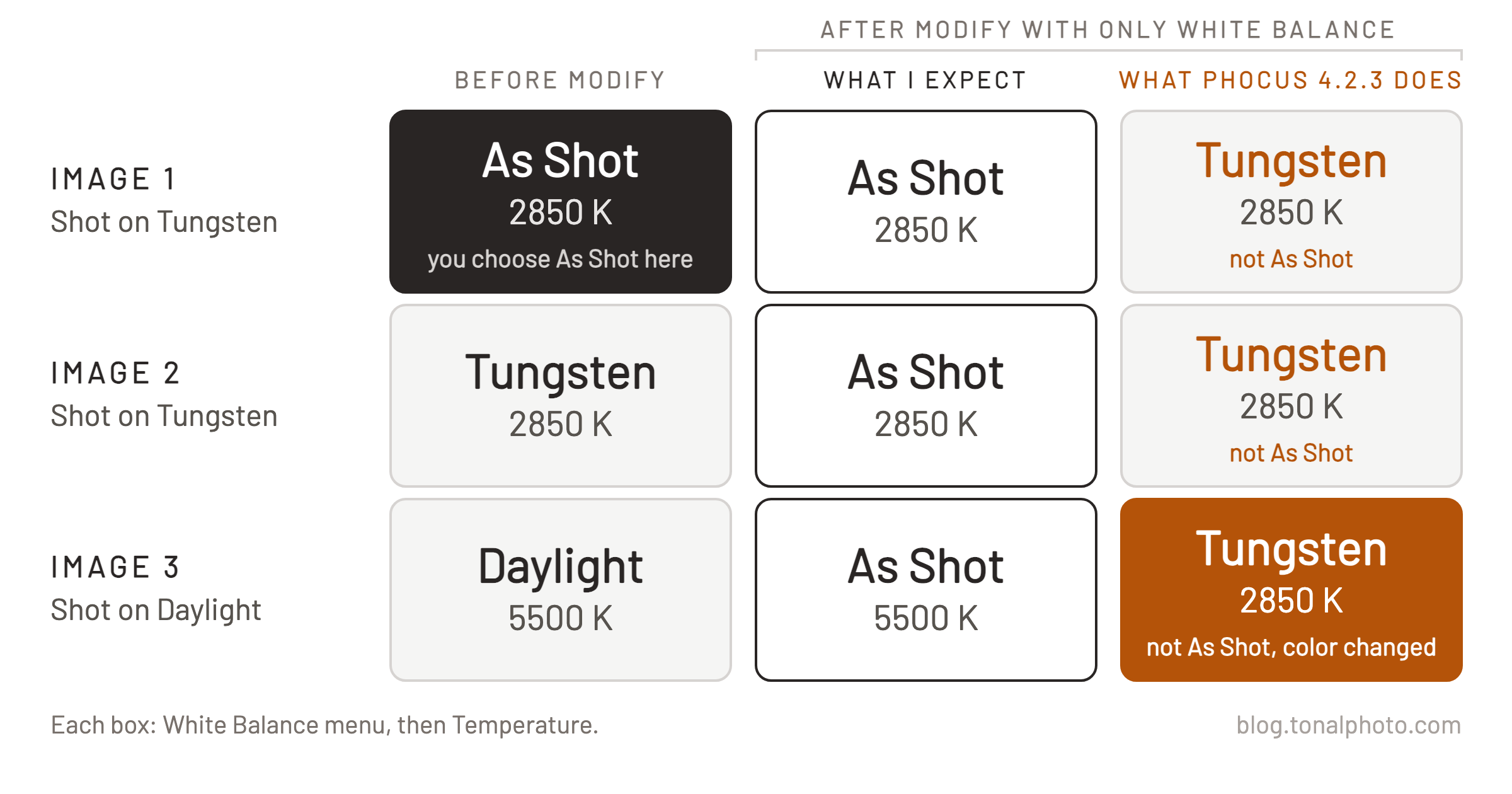
I tested three X2D II 3FR files that I had never opened in Phocus. Two were shot with the camera set to Tungsten, one with Daylight. Phocus showed the Tungsten frames at 2850 K, Tint 0, and the Daylight frame at 5500 K. My Phocus 4.2.3 release post covers the release itself.
To reproduce it:
- Click one of the Tungsten images and choose As Shot in the White Balance menu. The menu shows "As Shot" and the value stays at 2850 K.
- Add the other two images to the selection. The first image stays in the viewer.
- Run Modify with only White Balance selected.
All three images now show "Tungsten", and the Daylight frame is at 2850 K. Choosing "As Shot" on that frame by hand brings back 5500 K, and the picture visibly changes. It happened every time, and I found no way to apply "As Shot" to a whole selection in one step.
Any reasonable expectation is that "As Shot" means each image's own camera white balance, so Modify should leave every frame at its own value. The Phocus User Guide never mentions "As Shot". Its White Balance section says this about the Preset menu: "Multiple selected files can also modified at the same time to ensure consistent color within a batch."¹ That's great, but then don't offer "As Shot" as an option for batch modifying in the UI.
Researching and writing the blog and page posts I produce takes up a lot of my time and costs me money for software subscriptions, tooling, and other incidentals related to running a business.
Please consider a paid membership to help me keep the lights on and pay the bills - it is only a fraction of the cost of an X2D II and a lens. Click on the button to go to the membership page to see the options available.
Which shoots does it hurt?
When every frame in the selection was shot with the same camera white balance setting, I saw no change in the pictures. I ran the same steps on 45 bracket frames, all shot with the camera set to Daylight. Afterwards the menu read "Daylight" on all of them instead of "As Shot", and that was the only difference I saw.
The damage is on selections where the camera white balance differs between frames: an event that moves between daylight and indoor light, a studio session where you changed the camera setting part-way, a travel set. My tests used fixed presets, and I have not tried auto white balance. Frames that vary from shot to shot may be hit the same way.
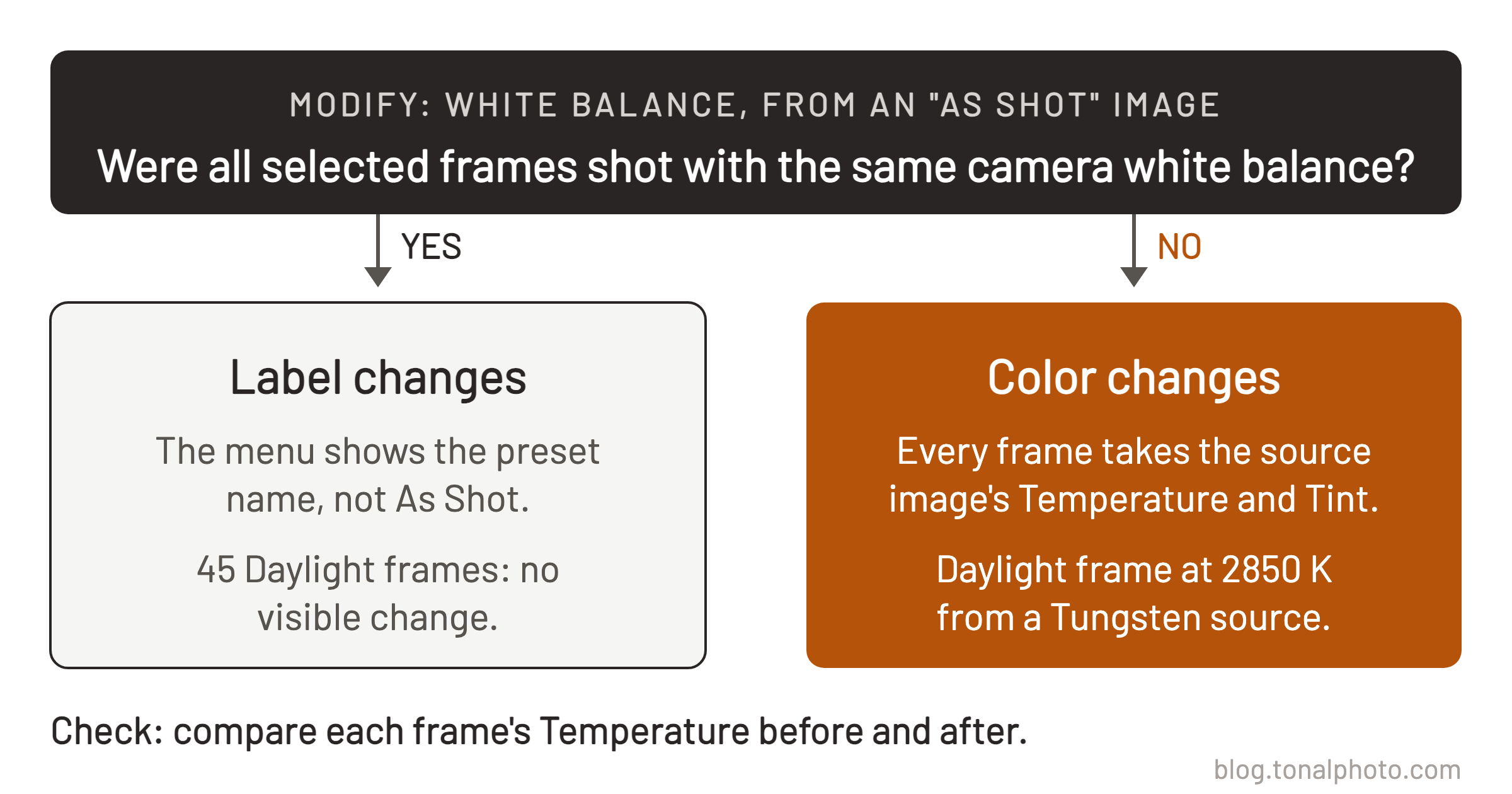
The visible signs are the number and the menu: a frame shot in daylight now sits at 2850 K and reads "Tungsten".
The second bug: "As Shot" does not stay selected
When you click an image you have not opened in Phocus before, the White Balance menu already shows the preset that matches the camera setting, "Daylight" or "Tungsten", not "As Shot". Choose "As Shot", click another image and come back, and the menu shows the preset name again. Export the image as a 16 bit TIFF and the same thing happens. Both happened every time. When I clicked away and back, the Temperature and Tint numbers stayed the same.
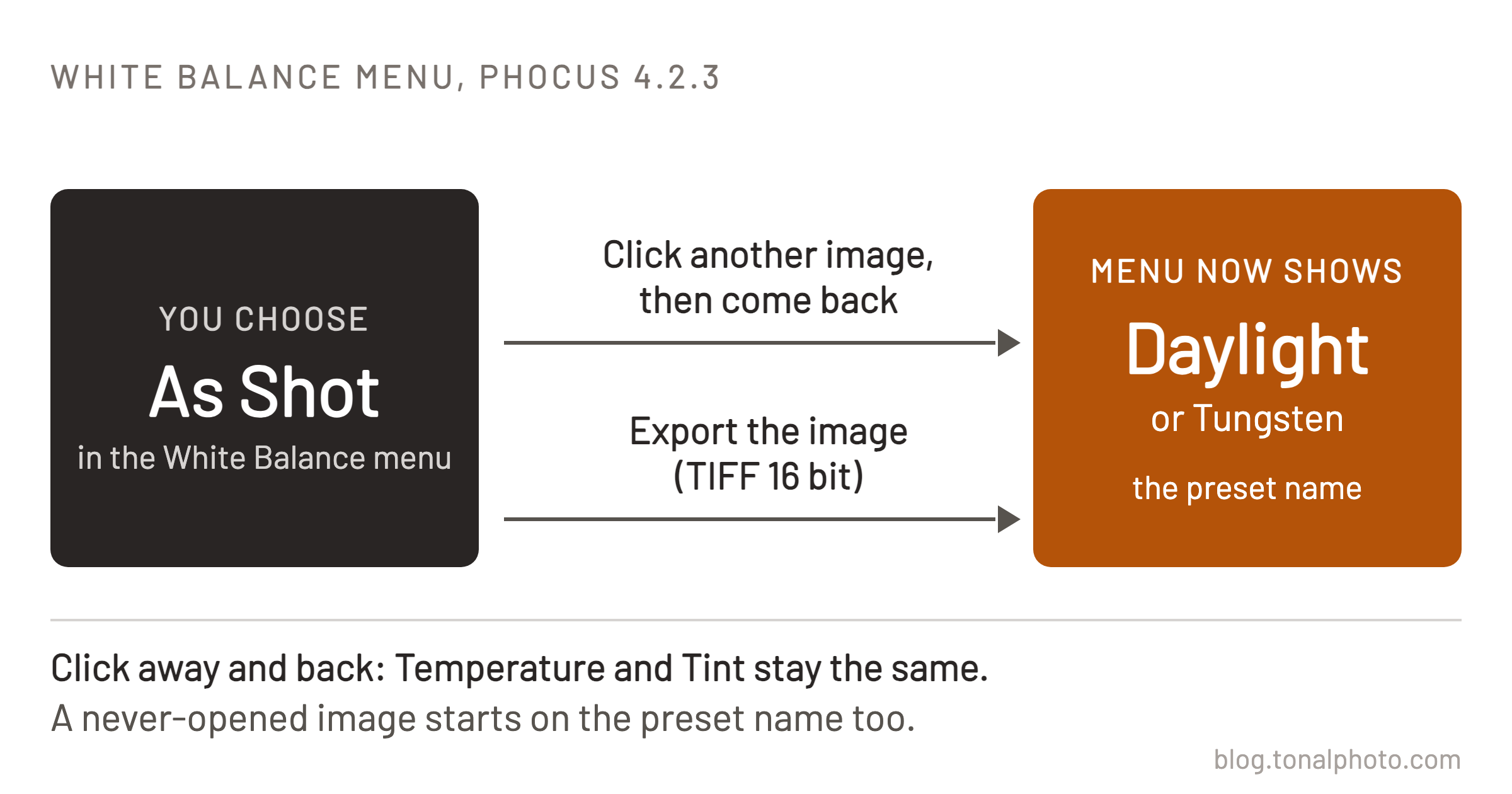
The "As Shot" label is not a record that an image is at camera white balance. Read the Temperature and Tint numbers instead.
What to do about it
Do not use Modify to set a selection of images to "As Shot" white balance in Phocus 4.2.3.
If you already have, choose "As Shot" in the White Balance menu on each image in that selection. That restored 5500 K on my Daylight frame. It has to be done image by image.
I reported the two bugs as separate reports on November 14, 2026, and there are no case numbers yet. Both are on my Phocus known issues page. I tested Phocus 4.2.3 for Mac only, with X2D II 100C 3FR files.
References
- Hasselblad Phocus User Guide v26 (2024-09-02), "White Balance", Preset. The PDF is bundled inside Phocus.app (Contents/Resources/English.lproj/PhocusManual.pdf) and describes Phocus up to version 3.8.